
Why Cable Management Matters for Your Gaming Setup
You spent weeks picking the perfect gaming monitor, keyboard, and LED strip lights — until you glance under the desk and see a rat's nest of cables that would make a fire inspector weep. A solid cable management kit costs less than a keycap set and takes about an hour to install. We tested 7 of the most popular kits ranging from $15 budget bundles to $60 premium solutions. Here's what actually works.
Our Top Picks at a Glance
| Rank | Product | Best For | Price |
|---|---|---|---|
| 🥇 | Yecaye 192-Piece Kit | Best Overall Value | ~$20 |
| 🥈 | EVEO Under Desk Tray | Best Dedicated Tray | ~$20 |
| 🥉 | Stageek Cable Raceway Kit | Best Wall Cable Hiding | ~$15 |
| 4 | JOTO Cable Sleeve Bundle | Best Cable Grouping | ~$12 |
| 5 | Scandinavian Hub Premium Kit | Best Premium Option | ~$40 |
| 6 | Amazon Basics Cable Tray | Best Budget Tray | ~$15 |
| 7 | Alex Tech Split Tubing | Best Permanent Runs | ~$10 |
1. Yecaye 192-Piece Cable Management Kit — Best Overall

🥇 Yecaye 192-Piece Cable Management Kit
Why we love it: The Swiss Army knife of cable management. With 192 pieces including two J-channel trays, 50 velcro ties, cable clips, cord covers, and neoprene sleeves, it has literally everything you need to go from chaos to clean in a single afternoon.
Key specs:
- 2x J-channel cable trays (16" each) — screw-mount under desk
- 50x reusable velcro cable ties
- 4x neoprene cable sleeves (19.5" each) — zip-up
- 10x adhesive cable clips
- 6x cord cover raceways (16" each)
- Various cable clips and holders
| Pros | Cons |
|---|---|
| Everything you need in one box | J-channel requires drilling (no adhesive option) |
| J-channel trays hold 10+ cables easily | Some smaller clips feel flimsy |
| Velcro ties are reusable and adjustable | Instructions are minimal |
| Cord covers are paintable to match walls | Neoprene sleeves could be longer |
| Excellent value per piece |
Verdict: If you want a complete cable management overhaul in one purchase, the Yecaye kit handles everything from under-desk routing to wall cable hiding. One box, one afternoon, completely transformed desk.
2. EVEO Under Desk Cable Management Tray — Best Dedicated Tray

🥈 EVEO Under Desk Cable Management Tray
Why we love it: If your main problem is cables dangling visibly under your desk, this steel mesh basket solves it elegantly. It holds your power strip, excess cable length, chargers, and adapters in one hidden compartment. The mesh design allows airflow — important if your power strip gets warm.
Key specs:
- Heavy-duty steel mesh construction — holds up to 10 lbs
- 16" x 5.3" x 4.5" — fits standard power strips
- Includes mounting hardware — screws and drill template
- Open mesh design for airflow and heat dissipation
- Rounded edges — no sharp metal to snag cables
| Pros | Cons |
|---|---|
| Incredibly sturdy — no flex under load | Requires drilling into desk |
| Installation takes 10 minutes | Only one tray included |
| Completely hides power strip and cable bulk | No cable ties or sleeves included |
| Mesh allows heat dissipation | White color shows dust |
Verdict: The single most impactful cable management purchase you can make. Pair it with some velcro ties and your under-desk area goes from disaster to invisible.
3. Stageek Cable Raceway Kit — Best for Wall Cable Hiding

🥉 Stageek Cable Raceway Kit
Why we love it: The cable run from your desk to the wall outlet is often the hardest to clean up. These adhesive-backed plastic channels stick to your wall and completely enclose cables behind a snap-on cover. Each channel is paintable, so you can match your wall color for a nearly invisible installation.
Key specs:
- 6x raceway channels (15.4" each, ~92" total)
- Adhesive backing — no drilling required
- Snap-on covers for easy cable access
- Paintable surface — match any wall color
- Corner and T-connectors included
| Pros | Cons |
|---|---|
| No drilling — perfect for renters | Adhesive may fail on textured walls |
| Paintable channels become nearly invisible | Each channel only holds 3-4 cables |
| Snap covers make cable changes easy | Cutting requires a hacksaw |
| Enough length for most desk-to-outlet runs | Doesn't solve under-desk management |
Verdict: Perfect for renters or anyone who can't drill into walls. Also great for hiding long cable runs from desk to outlet, TV cables, or Ethernet runs along baseboards.
4. JOTO Cable Management Sleeve Bundle — Best for Cable Grouping

4️⃣ JOTO Cable Management Sleeve Bundle
Why we love it: Sometimes you just need to turn 8 visible cables into 2 clean bundles. Each neoprene sleeve has a full-length zipper — lay your cables in, zip it up, and your cable mess becomes a single tidy tube. Dead simple, no tools needed.
Key specs:
- 4 neoprene sleeves (19.5" each)
- Full-length zipper for easy cable insertion
- Flexible neoprene bends around corners
- Fits 8-10 cables per sleeve
- Black color blends with most setups
| Pros | Cons |
|---|---|
| No mounting, no tools, no drilling | Doesn't hide cables — just bundles them |
| Zipper makes adding/removing cables trivial | 19.5" may be too short for floor-to-desk |
| Neoprene is flexible enough for desk legs | No mounting system — sleeves can slide |
| Very affordable | Zipper pull can snag on carpet |
Verdict: The easiest possible cable management upgrade. If you can tolerate visible cable runs but want them neat and bundled, these sleeves are your answer.
5. Scandinavian Hub Premium Cable Management Kit — Best Premium Option
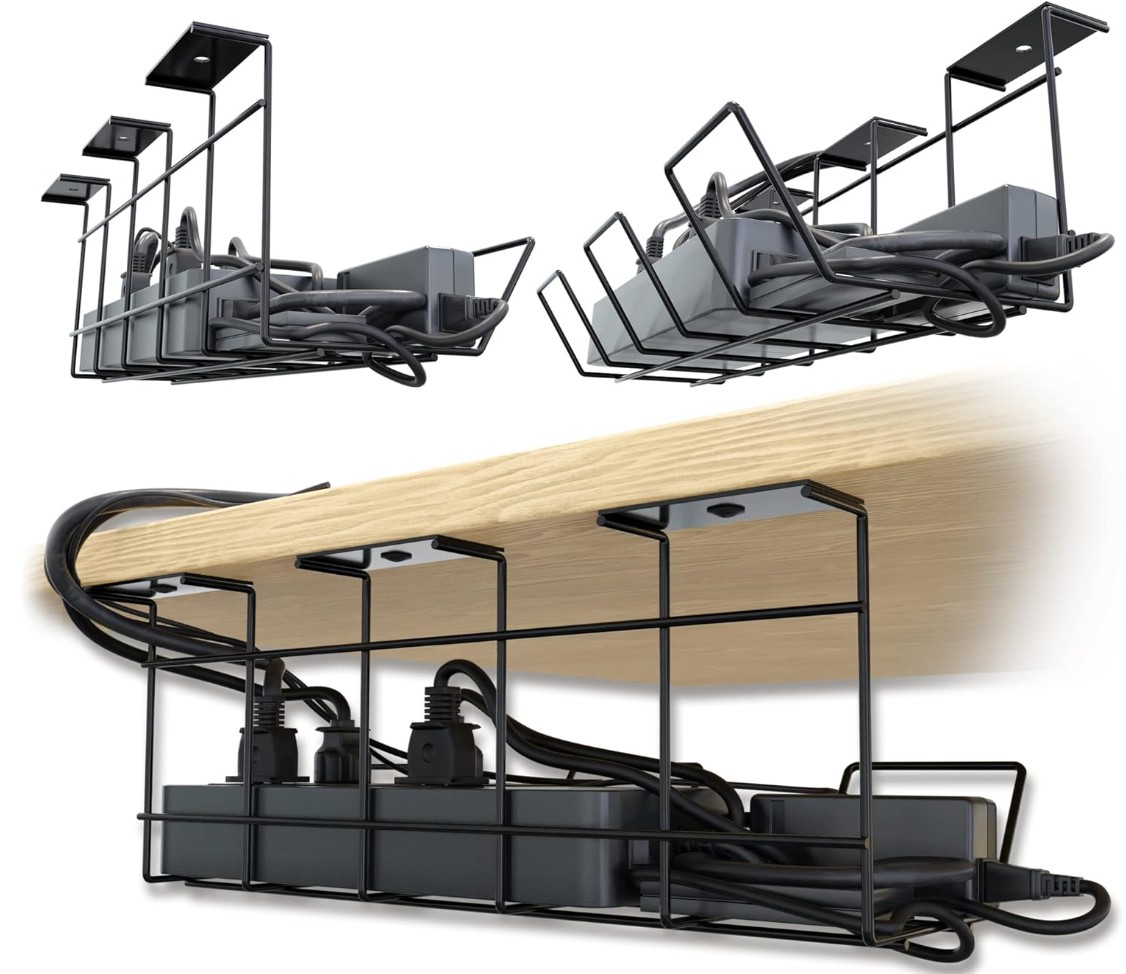
5️⃣ Scandinavian Hub Premium Cable Management Kit
Why we love it: For those who want the cable management experience to feel as premium as their gaming peripherals. Includes a fabric-wrapped under-desk tray, color-coded velcro ties, premium neoprene sleeves, adhesive cable clips, and even labels for identifying cables.
Key specs:
- Fabric-wrapped under-desk tray — premium look
- 20x color-coded velcro ties
- 2x neoprene cable sleeves (20" each)
- 15x adhesive cable clips — various sizes
- Cable labels for identification
- Illustrated setup guide
| Pros | Cons |
|---|---|
| Fabric tray looks better than metal mesh | More expensive for fewer total pieces |
| Color-coded ties useful for complex setups | Fabric tray holds less weight than metal |
| Cable labels save time during upgrades | Only 2 sleeves vs Yecaye's 4 |
| Great packaging (makes a good gift) | Adhesive clips less secure than screws |
Verdict: For gamers with clean, aesthetic-focused setups who want cable management that looks as good as the rest of their battlestation. Also a great gift option.
6. Amazon Basics Under Desk Cable Tray — Best Budget Tray
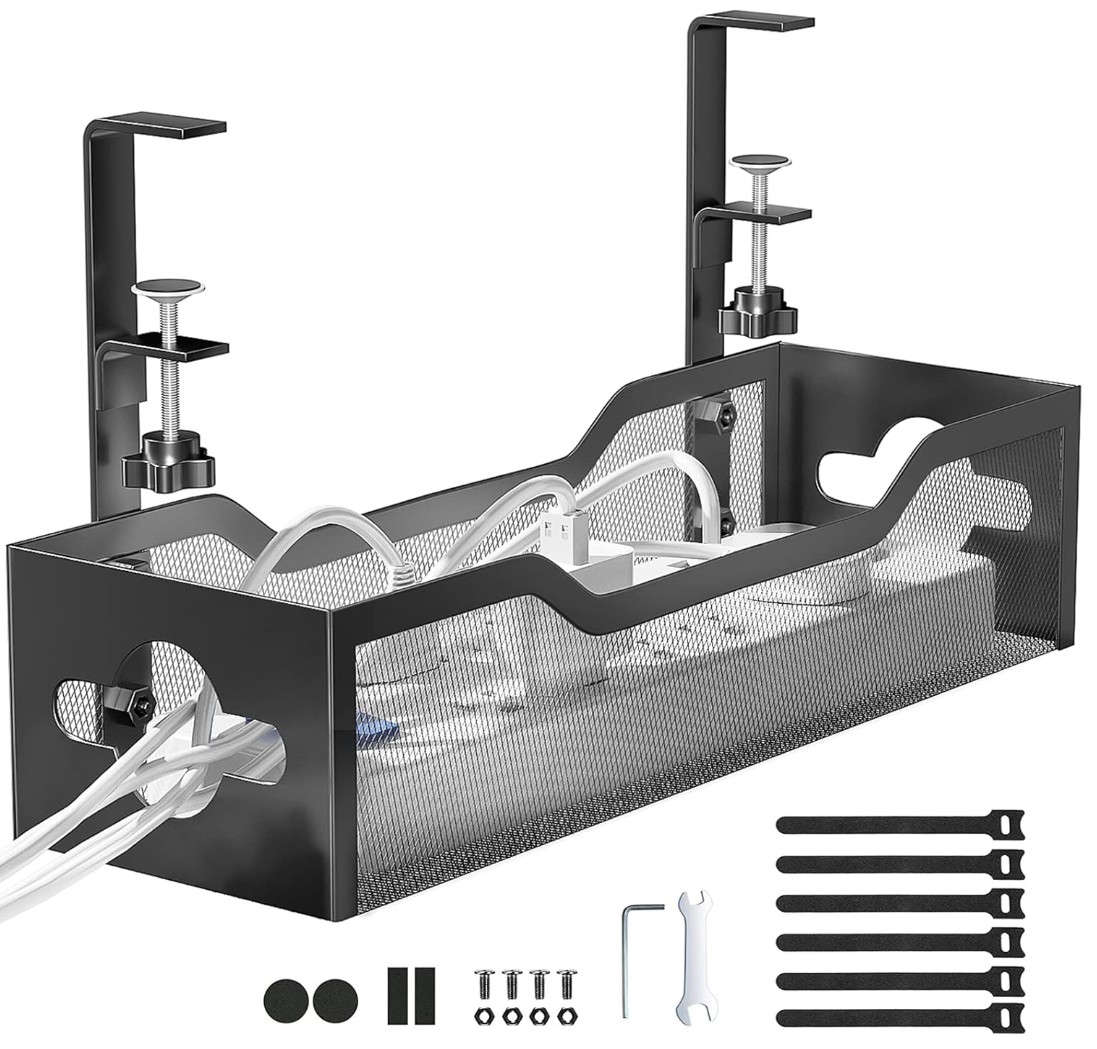
6️⃣ Amazon Basics Under Desk Cable Tray
Why we love it: A no-frills steel mesh basket that does exactly one thing well: holds your cables and power strip out of sight. Roughly half the cost of the EVEO tray.
Key specs:
- Steel mesh construction — sturdy and ventilated
- Standard desk mounting with screw-in hardware
- Budget-friendly price point
| Pros | Cons |
|---|---|
| Cheapest functional cable tray available | Thinner gauge steel — slight flex under load |
| Does the job without pretense | Sharper edges on mesh |
| Same mesh design as pricier options | Basic mounting hardware |
| Quick Prime delivery | No extras included |
Verdict: The single highest-impact cable management upgrade at the lowest possible price.
7. Alex Tech Split Loom Tubing — Best for Permanent Cable Runs
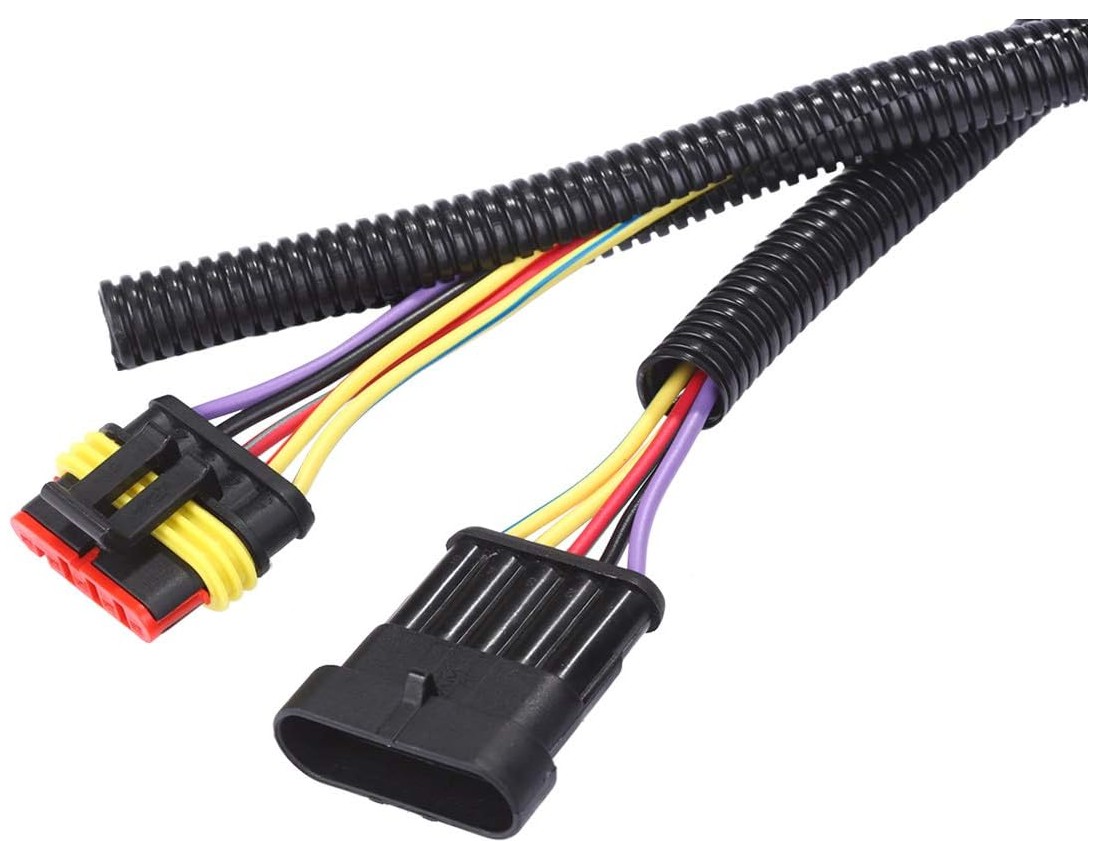
7️⃣ Alex Tech Split Loom Tubing
Why we love it: For gamers who want a permanent, professional-grade solution, split loom tubing wraps around cable bundles and protects them from abrasion, pets, and vacuum cleaners. The split design means you don't need to disconnect cables to install it.
Key specs:
- 25 feet of split loom tubing
- 1/2" diameter — fits 5-8 standard cables
- Corrugated design — flexible, bends around corners
- UV and heat resistant
| Pros | Cons |
|---|---|
| Most durable cable protection available | Industrial look doesn't match aesthetic setups |
| Pet-proof — cats can't chew through it | Rigid enough to fight tight bends |
| 25 feet is generous for multiple runs | Harder to add/remove cables than velcro |
| Split design = no disconnection needed | Overkill for desk-only management |
Verdict: Best for gamers with pets who chew cables, long permanent cable runs, or anyone who wants maximum cable protection.
Cable Management Strategy: Where to Start
If you're staring at a cable mess and don't know where to begin:
Step 1: Unplug Everything
Yes, everything. Pull every cable and start fresh. Great time to dust your desk too.
Step 2: Group Cables by Destination
Sort into groups: monitor cables, peripherals (keyboard, mouse, headset), power cables, and networking cables.
Step 3: Install Your Under-Desk Tray
Mount your cable tray and place your power strip inside it. Route power cables up from the tray to each device.
Step 4: Bundle Cable Groups
Use velcro ties or neoprene sleeves to bundle each group. Route bundles along desk edges using adhesive clips.
Step 5: Hide the Wall Run
Use cable raceways or cord covers to hide the run from your desk to the wall outlet.
Step 6: Label Everything
Future you will thank present you when you need to swap one cable in a bundle of ten.
Frequently Asked Questions
Q: What's the best cable management solution for a standing desk? A: A cable management spine (flexible vertebra-style chain) is ideal — it flexes as the desk moves up and down. Avoid rigid raceways or fixed-length sleeves. The Yecaye kit combined with a separate cable spine is the best combo.
Q: How do I manage cables without drilling into my desk? A: Use adhesive-mounted solutions: cable clips, wall raceways, and neoprene sleeves need no drilling. The Stageek raceway kit and JOTO sleeves are completely drill-free.
Q: Is it worth paying more for a premium cable management kit? A: For most gamers, no. The Yecaye 192-piece kit provides everything you need at a fraction of premium prices. Spend the savings on better peripherals.
Q: Should I use zip ties or velcro ties? A: Always velcro. Zip ties are permanent — you'll cut them every time you swap a cable. Velcro ties are reusable, adjustable, and gentler on cables.
Q: How do I manage cables behind a wall-mounted monitor? A: Use cable raceways from monitor to desk and adhesive clips behind the monitor arm. Route cables through the arm's built-in cable management channel if it has one.
Our Verdict
For most gaming setups, the Yecaye 192-Piece Kit is the clear winner. One box, one afternoon, completely transformed desk. If you only want to solve one specific problem:
- Under-desk mess → EVEO Cable Tray
- Wall cable runs → Stageek Raceway Kit
- Quick cable bundling → JOTO Sleeves
Last updated: March 2026. We regularly research and update our recommendations.