
Why Every Dual Monitor Gamer Needs a Monitor Arm
Running dual monitors is standard for serious gamers — one for your game, one for Discord or stream chat. But two monitors on factory stands eat desk space, create height mismatches, and make cable management a nightmare. A dual monitor arm lifts both monitors off the surface, reclaims real estate, and lets you position each screen exactly where your neck and eyes prefer.
We tested five popular dual monitor arms on the same desk with the same pair of 27" monitors for two weeks. Here are our results.
Our Top Picks at a Glance
| Rank | Product | Best For | Price |
|---|---|---|---|
| 🥇 | Ergotron LX Dual | Best Overall | ~$350 |
| 🥈 | AmazonBasics Dual | Best Budget | ~$200 |
| 🥉 | VIVO Dual Premium | Best Value | ~$60 |
| 4 | Humanscale M8.1 | Best Premium | ~$900 |
| 5 | HUANUO Dual | Best Ultrawide Support | ~$70 |
1. Ergotron LX Dual Side-by-Side — Best Overall

🥇 Ergotron LX Dual Side-by-Side
Why we love it: The gold standard. Patented Constant Force technology counterbalances your monitor's exact weight — once set, the monitor floats at any position and stays there indefinitely. No sagging after six months. No drift. It just works.
Key specs:
- Patented Constant Force lift (7-25 lbs per arm)
- 360° rotation at each joint
- 13.3" height adjustment range
- Integrated cable management (inside the arm)
- Clamp and grommet mount included
- VESA 75×75 and 100×100
- 10-year warranty
| Pros | Cons |
|---|---|
| Smoothest arm movement — one-finger repositioning | Premium price — 2-3x competitors |
| Zero drift or sag over weeks of testing | Heavy and bulky pole |
| Built-in cable channels hide cables completely | Only supports up to 27" (no ultrawide) |
| 10-year warranty — best in category | Initial tension adjustment takes trial/error |
| Rock-solid clamp on standard desks |
Verdict: If you've invested in premium gaming monitors, the Ergotron LX is the mount they deserve. The 10-year warranty means you'll keep this through multiple monitor upgrades.
2. AmazonBasics Dual Monitor Arm — Best Budget Option

🥈 AmazonBasics Dual Monitor Arm
Why we love it: Open secret: this is manufactured by Ergotron (or very close OEM). Similar gas spring mechanism, similar build quality, similar range of motion — at roughly 40% less cost. The tradeoffs are minor: external cable clips, shorter warranty, slightly less premium finish.
Key specs:
- Gas spring mechanism — smooth one-handed adjustment
- Supports 7-25 lbs per arm
- Full range: height, tilt, pan, rotation
- Clamp mount fits desks up to 3.3" thick
- Cable management clips (external)
- VESA 75×75 and 100×100
| Pros | Cons |
|---|---|
| Ergotron quality at budget price | Only 1-year warranty (vs 10-year) |
| Gas spring nearly as smooth as Ergotron | External cable clips, not internal channels |
| Sturdy — no wobble or flex | Finish scratches more easily |
| Handles 27" monitors without strain | Tension adjustment less precise |
| Accommodates thicker desks | Availability can be spotty |
Verdict: The smart money play. If you accept a shorter warranty and minor cosmetic differences, you get 90% of the Ergotron experience at 60% of the price.
3. VIVO Dual Monitor Arm Premium — Best Value

🥉 VIVO Dual Monitor Arm Premium
Why we love it: The sweet spot between budget and premium. Supports monitors up to 32" (larger than Ergotron's 27" limit), includes both clamp and grommet mounts, and offers gas spring arms with smooth articulation. Great for gamers planning to upgrade from 27" to 32" monitors.
Key specs:
- Supports up to 32" (22 lbs per arm)
- Gas spring arms with pneumatic counterbalance
- Clamp and grommet mount included
- Detachable VESA plates for easy mounting
- Cable management clips
- Full tilt, swivel, rotation, height adjustment
| Pros | Cons |
|---|---|
| 32" monitor support at this price is excellent | Weight limit (22 lbs) lower than Ergotron |
| Gas spring is smooth and reliable | Adhesive cable clips can fall off |
| Grommet mount adds desk compatibility | Some wobble during aggressive repositioning |
| Detachable VESA plates simplify install | Instructions could be clearer |
Verdict: Ideal for gamers with 27-32" monitors who want solid gas spring performance without premium pricing. Future-proof for monitor upgrades.
4. Humanscale M8.1 Dual — Best Premium
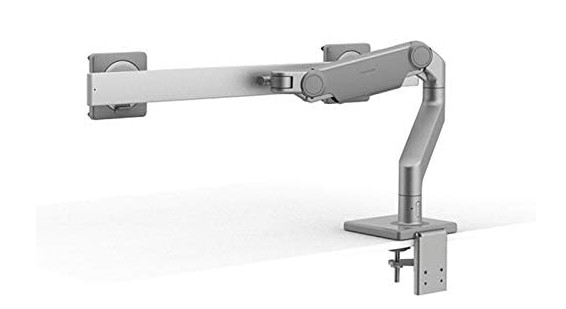
4️⃣ Humanscale M8.1 Dual
Why we love it: What happens when an ergonomic furniture company with decades of experience designs a monitor arm. Instead of gas springs, it uses a weight-compensating mechanical system that auto-adjusts — just slide the weight indicator to your monitor's weight and the arm perfectly counterbalances. Brilliant.
Key specs:
- Weight-compensating mechanism (no gas springs)
- Supports up to 32" / 28 lbs per arm
- 360° articulation
- Fully integrated cable management (invisible)
- Hardened steel construction
- Clamp and bolt-through mount
- Multiple finish options
| Pros | Cons |
|---|---|
| Most elegant design we've tested | Very expensive — 3-4x Ergotron |
| Weight-based adjustment — no tools needed | Heavier — desk must be sturdy |
| Zero wobble at any position | Bolt-through mount ideal but requires drilling |
| Truly invisible cable management | Overkill for sub-$300 monitors |
| Built to outlast multiple monitor generations |
Verdict: For gamers with premium desks and displays who want a mount that matches. The Humanscale M8.1 is the appropriate choice for a Secretlab desk and high-end monitors.
5. HUANUO Dual Monitor Arm — Best for Ultrawides
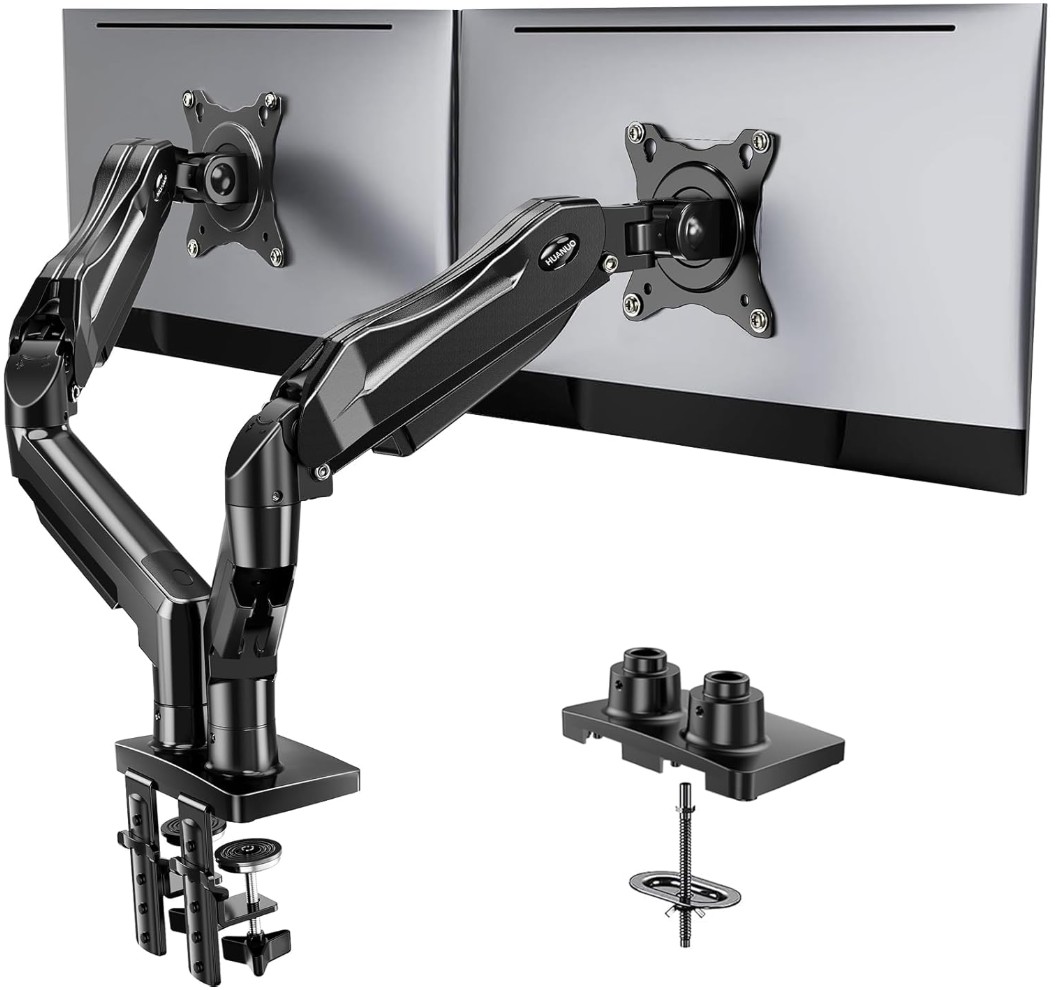
5️⃣ HUANUO Dual Monitor Arm
Why we love it: If you're running 32" or 34" ultrawides, most dual arms struggle. The HUANUO supports screens up to 35" and 26.4 lbs per arm. Extra-long arm segments prevent arm collision with wide monitors, and reinforced gas springs handle the weight without sagging.
Key specs:
- Supports monitors up to 35" / 26.4 lbs per arm
- Extended arm reach for wider monitors
- Reinforced gas springs
- Clamp and grommet mount
- Full articulation (height, tilt, swivel, rotation)
- Cable management clips
- USB pass-through on base
| Pros | Cons |
|---|---|
| Best large-monitor support in this range | Arms are heavier and stiffer |
| Extended arms solve collision problem | Movement not as smooth as Ergotron |
| USB pass-through on base is nice | Base is large and noticeable |
| Reinforced springs hold heavy monitors | USB port only supports 2.0 speeds |
| Affordable for the weight capacity |
Verdict: If your monitors exceed the weight or size limits of standard dual arms, the HUANUO handles what others can't.
How to Choose the Right Dual Monitor Arm
Check Monitor Weight and VESA Pattern
Weigh your monitors and verify VESA mounting holes (75×75mm or 100×100mm). Most gaming monitors have them, but some curved ultrawides don't.
Measure Your Desk Thickness
Clamp mounts fit desks 0.5"-3" thick. Glass or thin desks need a grommet (bolt-through) mount.
Consider Future Upgrades
Planning to go from 27" to 32"? Buy an arm rated for 32" now — cheaper than replacing later.
Gas Spring vs Mechanical
Gas springs (most options) are smooth and intuitive. Mechanical (Humanscale) are more precise but costlier. Both work well.
Installation Tips
- Clear your desk completely before starting
- Protect desk surface with cloth under the clamp pad
- Have a second person hold monitors during mounting
- Adjust tension before mounting monitors — easier with empty arms
- Route cables last — get positions perfect first
- Don't over-tighten the clamp — can crack particle board edges
Frequently Asked Questions
Q: Can a dual arm hold two different-sized monitors? A: Yes. Each arm operates independently — mount a 27" main and 24" secondary without issues. Adjust tension on each arm separately.
Q: Will a monitor arm damage my desk? A: Quality arms include rubber pads on the clamp. Very thin desks, glass, or particle board edges can crack — use a reinforcement plate for protection.
Q: Do monitor arms work with curved monitors? A: Yes, but curves can cause monitors to angle away from each other. Most arms have enough tilt to compensate.
Q: Dual arm vs two single arms? A: Dual arm is cleaner (one clamp) and usually cheaper. Two singles offer more independent positioning — useful for very different-sized monitors.
Q: Can I mount on an IKEA desk? A: Hollow-core IKEA desks (LINNMON) can crack — use a reinforcement plate. Solid wood (KARLBY, GERTON) handles arms fine.
Our Verdict
For most dual-monitor gaming setups, the Ergotron LX Dual is the best you can buy. On a budget? The AmazonBasics Dual delivers 90% of the experience at 60% of the price. Running 32"+ monitors? The HUANUO Dual handles the extra size.
A dual monitor arm improves every minute at your desk. Your neck, your desk space, and your setup photos will all thank you.
Last updated: March 2026. We regularly research and update our recommendations.