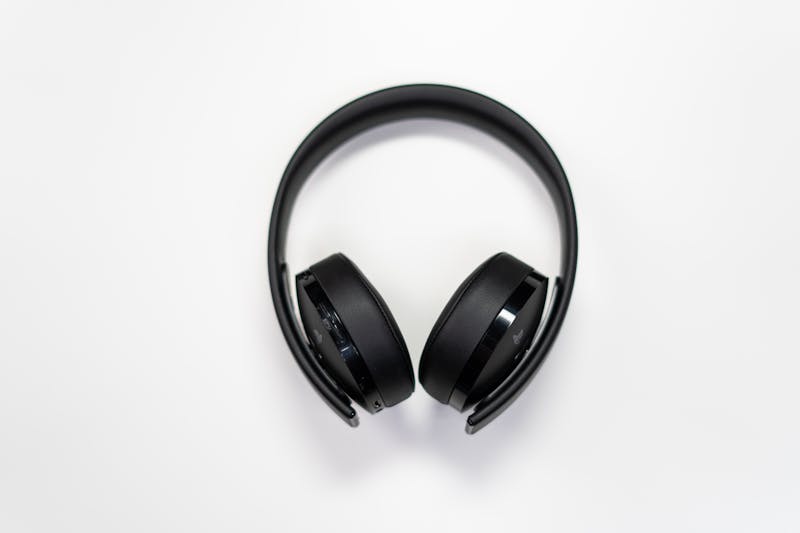
Why Your Gaming Room Needs a Smart Speaker
A smart speaker in your gaming room isn't just about playing music between matches — it's a voice-controlled command center. Dim your LED strip lights, launch a Spotify playlist, control your smart plugs, set break timers, and adjust your light bar — all without taking your hands off the controller. We tested 5 of the best smart speakers for gaming rooms in 2026, ranking them on sound quality, voice control reliability, smart home integration, and gaming-room fit.
Our Top Picks at a Glance
| Rank | Product | Best For | Price |
|---|---|---|---|
| 🥇 | Amazon Echo (5th Gen) | Best Overall | Check Price |
| 🥈 | Apple HomePod mini | Best for Apple Users | Check Price |
| 🥉 | Google Nest Audio | Best Sound Quality | Check Price |
| 4 | Amazon Echo Pop | Best Budget | Check Price |
| 5 | Amazon Echo Show 5 (3rd Gen) | Best with Display | Check Price |
1. Amazon Echo (5th Gen) — Best Overall

🥇 Amazon Echo (5th Gen)
Why we love it: The Echo 5th Gen combines genuinely good sound, a built-in Zigbee/Matter/Thread smart home hub, and Alexa's massive skill library in one compact sphere. One command triggers your entire gaming room — lights, music, smart plugs, all of it.
Key specs:
- Drivers: 3.0" woofer + dual tweeters
- Smart home hub: Zigbee, Matter, Thread built-in
- Wi-Fi: Eero mesh extension built-in
- Sensors: Temperature sensor for automations
- Audio: Adaptive room-acoustics tuning
- Pairing: Multi-room music with other Echo devices
| Pros | Cons |
|---|---|
| Best smart home hub integration on this list | Spherical design is polarizing |
| Excellent sound for a desk/shelf speaker | No line-in or Bluetooth audio input |
| Alexa routines are the most powerful for gaming automation | Occasional activations during game dialogue |
| Eero mesh extension helps with Wi-Fi dead spots | No native Apple Music support |
| Temperature sensor enables smart automations | Fabric cover attracts dust |
| Frequently discounted during Amazon sales |
Verdict: The best all-around smart speaker for gaming rooms. The built-in hub means fewer devices, less complexity, and faster automation response. If you use Alexa, this is the one to get.
2. Apple HomePod mini — Best for Apple Users
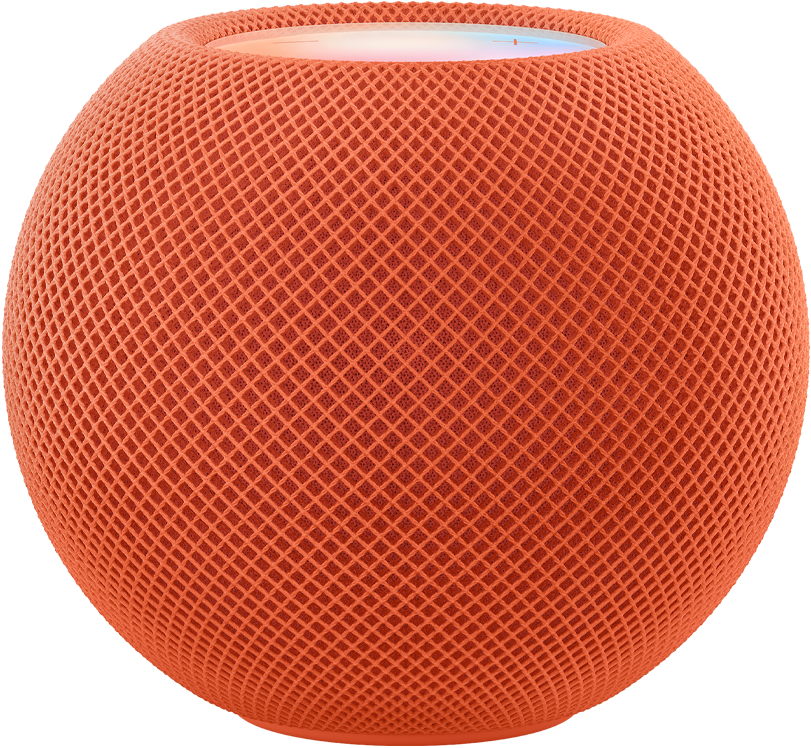
🥈 Apple HomePod mini
Why we love it: If you're deep in the Apple ecosystem, nothing beats the HomePod mini. AirPlay 2 makes it the easiest speaker to beam audio to, Thread border router capability future-proofs your smart home, and HomeKit commands execute in under 200ms — lights change before you finish speaking.
Key specs:
- Size: 3.3" tall — fits anywhere on a gaming desk
- Smart home: Thread border router for HomeKit devices
- Audio: Computational audio with real-time DSP
- Wireless: AirPlay 2, Ultra Wideband (U1 chip) handoff
- Pairing: Stereo pair for spatial audio
- Privacy: On-device Siri processing
| Pros | Cons |
|---|---|
| Fastest smart home response via Thread | Siri less capable than Alexa for routines |
| AirPlay 2 is the easiest wireless casting | Only Apple Music natively (Spotify needs AirPlay) |
| Compact — fits any desk setup | No Bluetooth pairing — AirPlay only |
| Sound punches well above its weight | No built-in Zigbee hub |
| On-device Siri means better privacy | Limited third-party ecosystem vs. Alexa |
| Beautiful design complements any aesthetic |
Verdict: The obvious choice for Apple ecosystem gamers. If you use HomeKit, AirPlay, and Siri, the HomePod mini integrates perfectly — and the Thread border router alone justifies it for HomeKit-heavy setups.
3. Google Nest Audio — Best Sound Quality
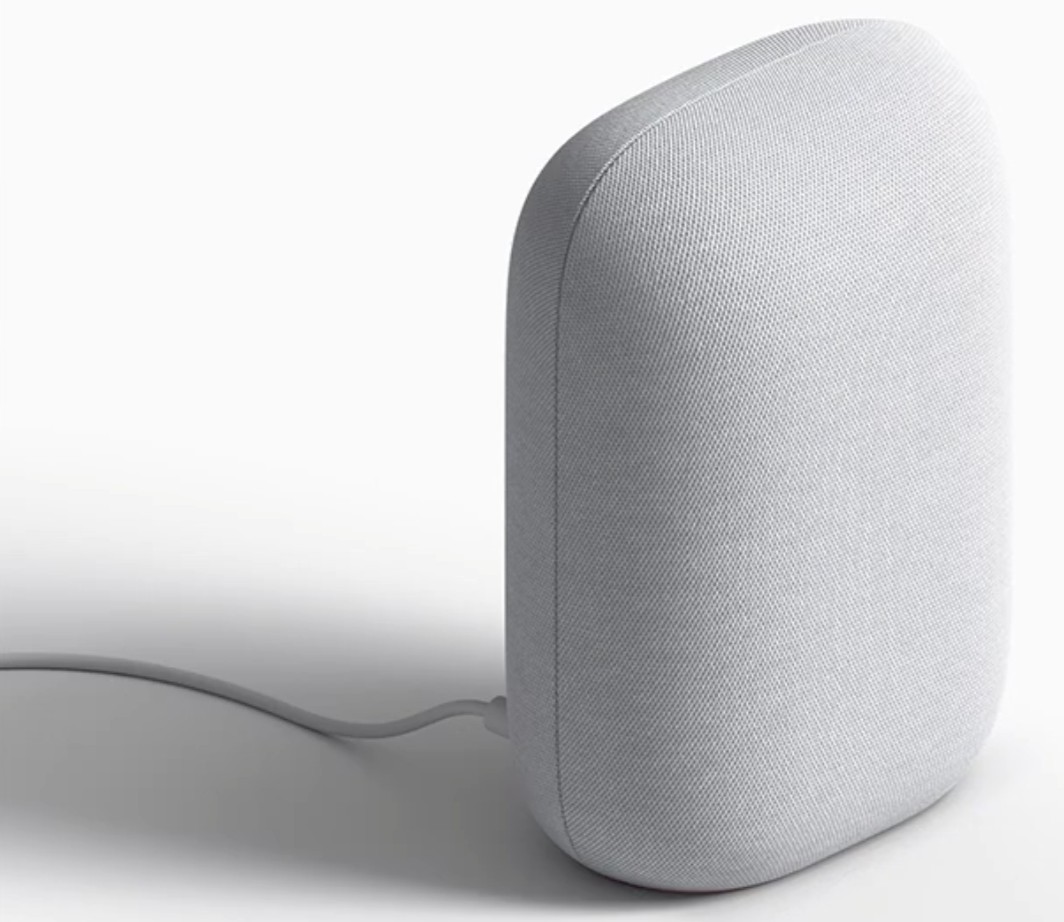
🥉 Google Nest Audio
Why we love it: If sound quality is your top priority, the Nest Audio is the best-sounding smart speaker in this price range — period. Google's custom 75mm woofer and 19mm tweeter deliver rich, room-filling sound with real bass and clear highs. Plus, Google Assistant answers gaming trivia more accurately than the competition.
Key specs:
- Drivers: 75mm woofer + 19mm tweeter
- Audio: Media EQ (auto-adjusts by content type) + Ambient IQ (adjusts to room noise)
- Smart home: Matter and Thread support
- Casting: Chromecast built-in
- Pairing: Stereo pair for left/right audio
| Pros | Cons |
|---|---|
| Best sound quality at this price — not close | No built-in Zigbee hub |
| Google Assistant answers gaming queries accurately | Google routines less powerful than Alexa's |
| Media EQ and Ambient IQ are genuinely useful | Slightly larger footprint |
| Chromecast more universal than AirPlay for non-Apple users | No display option in this form factor |
| Matter/Thread support matches competition | No line-in for wired audio |
| Premium fabric design |
Verdict: The audiophile's smart speaker. If you use YouTube Music, Chromecast, and Google Home, the Nest Audio fits perfectly while sounding better than anything else in its class.
4. Amazon Echo Pop — Best Budget

4️⃣ Amazon Echo Pop
Why we love it: Full Alexa functionality for under $25. The Echo Pop strips the Echo down to its essentials — a compact, decent-sounding speaker with complete voice control. It frequently drops below $20 during sales, making it essentially disposable.
Key specs:
- Speaker: Front-firing directional audio
- Assistant: Full Alexa with routines and skills
- Smart home: Matter support (via cloud)
- Design: Compact semi-sphere
- Power: Ultra-low idle draw
| Pros | Cons |
|---|---|
| Incredible value — frequently under $25 | No built-in smart home hub (no Zigbee/Thread) |
| Full Alexa functionality at budget price | Sound quality noticeably below full Echo |
| Compact enough for any desk | Bass is essentially absent |
| Matter support future-proofs compatibility | Not suitable as primary music speaker |
| Low-commitment way to add Alexa to gaming room | No temperature sensor or Eero mesh |
Verdict: The no-brainer for budget gamers who want voice control. If you already have good speakers and just need a voice endpoint for smart home commands, the Echo Pop delivers at a price that's hard to argue with.
5. Amazon Echo Show 5 (3rd Gen) — Best with Display
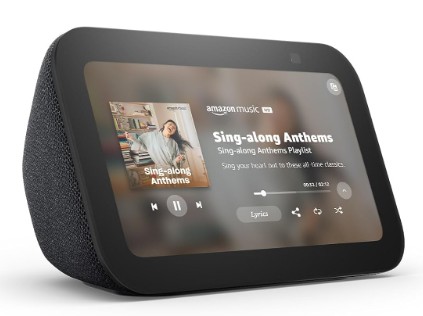
5️⃣ Amazon Echo Show 5 (3rd Gen)
Why we love it: The 5.5" touchscreen opens up use cases audio-only speakers can't touch: display Twitch chat, show your calendar, view security cameras, or use it as a slick desk clock with album art. For streamers, it can show chat or stats without sacrificing monitor real estate.
Key specs:
- Display: 5.5" adaptive touchscreen
- Camera: Built-in 2MP for video calls
- Smart home: Zigbee/Matter hub built-in
- Modes: Photo frame, smart home dashboard, desk clock
- Alarm: Tap-to-snooze on display
| Pros | Cons |
|---|---|
| Display shows useful info without reaching for phone | Sound quality below the screenless Echo |
| Visual smart home controls faster for quick adjustments | Display can distract during gaming |
| Built-in camera for Discord/video calls | Camera raises privacy concerns |
| Excellent desk clock with ambient display | Larger footprint than audio-only speakers |
| Same Alexa integration as full Echo | Screen attracts fingerprints |
| Touchscreen adds another control layer |
Verdict: The pick for gamers who want visual information on their desk — weather, calendar, chat feeds, camera views — without checking their phone. Also great as a secondary info display for streamers.
How to Choose the Right Smart Speaker for Your Gaming Room
Pick Your Ecosystem First
The speaker's voice assistant determines your entire smart home ecosystem. If you already use Alexa devices, stick with Echo. If you're deep in Apple's world with an iPhone and MacBook, get the HomePod mini. If Google is your platform — YouTube Music, Chromecast, Google Home — choose the Nest Audio. Mixing ecosystems creates more headaches than it solves, so commit to one and build around it.
Consider Your Smart Home Devices
If you use Zigbee devices (many smart lights and sensors), the Echo 5th Gen's built-in hub eliminates the need for a separate bridge. If you use Thread devices (Eve, some Nanoleaf), the HomePod mini or Echo with Thread support connects directly. If all your devices are Wi-Fi or Matter, any speaker on this list will work — pick based on assistant preference.
Sound Quality vs. Price
For background music and voice responses, even the budget Echo Pop sounds fine. If you want the speaker to be a primary audio source for music between gaming sessions, the Google Nest Audio or full Amazon Echo are worth the upgrade. The Nest Audio especially excels here, with noticeably richer bass and clearer highs than anything else in its price range.
Display or No Display
A touchscreen adds visual utility — calendar, weather, Twitch chat, security camera feeds — but also potential distraction during gaming sessions. If you want a clean, minimal desk, go screenless. If you like having ambient info at a glance, the Echo Show 5 is a compelling choice that doubles as a smart desk clock.
Room Size Matters
In a small gaming room (under 150 sq ft), any speaker on this list will fill the space adequately. In larger rooms or open layouts, consider the Echo 5th Gen or Nest Audio for their larger drivers and better volume output. You can also stereo-pair two speakers for wider sound coverage.
Smart Speaker Gaming Room Setup Tips
Create a "Game Time" Routine
Program a voice routine that triggers multiple actions with a single command: dim overhead lights, activate your LED strip lights to a gaming preset, set the speaker volume to your preferred level, and start your gaming playlist. "Alexa, game time" — and your entire room transforms. This is the single most satisfying thing about having a smart speaker in your gaming room.
Position for Optimal Voice Pickup
Place your speaker 2–4 feet from your primary sitting position, away from your monitor's speakers or soundbar. Smart speakers struggle to hear wake words when they're directly next to a competing sound source. A shelf slightly above desk level is ideal — it reduces desk clutter and improves mic pickup.
Set Up Do Not Disturb
Enable Do Not Disturb during gaming sessions to block incoming calls, notifications, and drop-ins. Most speakers allow you to schedule DND automatically during specific hours, or you can include "turn on Do Not Disturb" as part of your gaming routine.
Use Ambient Audio Layering
Set up a gaming ambient playlist — lo-fi beats, game soundtracks, synthwave — that plays through your smart speaker at low volume while game audio comes through your headset. It fills the room for spectators and creates a more immersive atmosphere. This works especially well if you stream or have friends watching.
Enable Brief Mode (Alexa)
On Echo devices, Brief Mode replaces verbose voice responses ("OK, I've turned on the gaming lights for you") with a simple chime. Fewer interruptions, faster confirmation, better gaming flow. Find it in the Alexa app under Settings → Voice Responses.
Use Multi-Room Groups
If you have smart speakers in multiple rooms, create an "everywhere" group for whole-home announcements, or a "gaming room" group that targets just your setup. This lets you play music across rooms when hosting, or keep audio isolated to your space.
Frequently Asked Questions
Q: Can I use a smart speaker as my gaming audio output? A: Technically yes — most smart speakers accept Bluetooth (except HomePod mini) or Wi-Fi audio casting. However, the latency (50–200ms) makes it unsuitable for competitive gaming where audio sync matters. Use dedicated gaming speakers or headphones for in-game audio. Smart speakers are best for music between sessions, podcasts, voice commands, and ambient audio.
Q: Will my smart speaker activate during games with voice dialogue? A: Occasionally, yes. Games with dialogue that sounds like "Alexa," "Hey Google," or "Hey Siri" can trigger accidental activations. Mitigation: change your wake word (Alexa supports "Echo," "Amazon," "Computer," or "Ziggy"), reduce mic sensitivity, or mute the mic during story-heavy games.
Q: Can I pair two smart speakers for stereo? A: Yes — Echo, HomePod mini, and Nest Audio all support stereo pairing. Two HomePod minis on a gaming desk create surprisingly good spatial audio for music. However, the Wi-Fi/Bluetooth latency still makes them unsuitable for competitive game audio.
Q: Do smart speakers work with gaming-specific devices like Govee or Nanoleaf? A: Absolutely. Both Govee and Nanoleaf work with Alexa and Google Assistant. Nanoleaf also works with Siri/HomeKit. You can control light scenes, brightness, color, and even music sync through voice commands on any speaker on this list.
Q: How much electricity does a smart speaker use? A: Smart speakers use 2–6 watts idle and 10–15 watts during active use (music playback, processing commands). Over a year, that's roughly $3–8 in electricity — negligible for the utility they provide. Even running 24/7, they cost less than a single LED light bulb.
Q: Is it worth getting a smart speaker if I already have a phone with a voice assistant? A: Yes. A dedicated smart speaker has far-field microphones designed to hear you across the room, even with background game audio blasting. Your phone's assistant requires proximity and often unlocking. The hands-free, always-listening nature of a smart speaker is fundamentally different and far more useful during gaming sessions.
Final Verdict
For most gamers, the Amazon Echo (5th Gen) is the best smart speaker for a gaming room. Its built-in Zigbee/Matter/Thread hub, solid sound, and Alexa's powerful routines make it the most capable voice control center for a smart setup.
Apple users should grab the HomePod mini — Thread and AirPlay integration are unmatched. Audiophiles will love the Google Nest Audio. Budget gamers can get full Alexa for under $25 with the Echo Pop.
One command. Lights dim. Music starts. Game on. 🎮
This article contains affiliate links. If you purchase through our links, we may earn a commission at no extra cost to you. This helps support SmartGameSetup and allows us to continue creating free content for gamers.