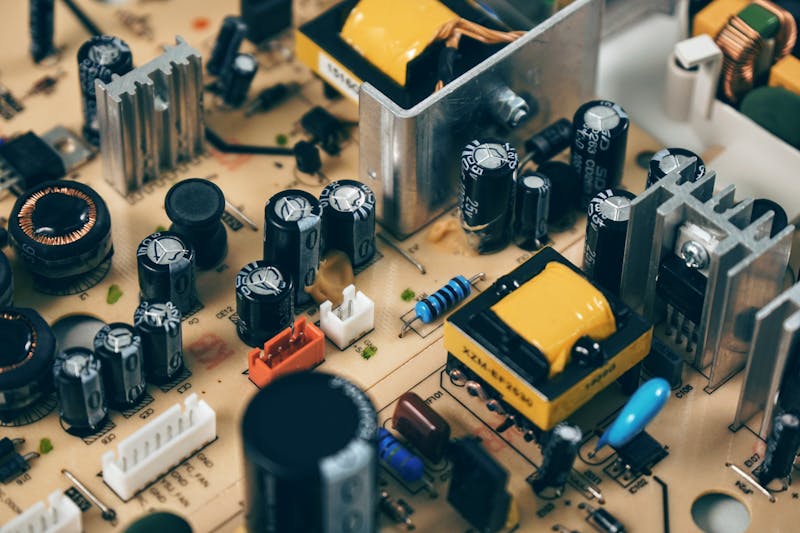
Why Your Gaming PC Needs a UPS Battery Backup
Power outages don't just interrupt your gaming session — they can corrupt save files, damage components, and force unexpected shutdowns that stress your SSD and motherboard. Voltage fluctuations (brownouts) are even worse, potentially damaging power supplies and graphics cards over time.
A UPS (Uninterruptible Power Supply) gives you 5-15 minutes to save your progress and safely shut down during outages, while also filtering dirty power that can cause system instability. Modern gaming PCs with RTX 4070+ GPUs draw 400-600 watts under load, so you need a UPS sized appropriately for your hardware.
We tested 5 top-rated UPS units for gaming setups, evaluating battery life, surge protection, software features, and value for different PC configurations.
Our Top Picks at a Glance
| Rank | Product | Best For | Runtime (400W Load) | Price |
|---|---|---|---|---|
| 🥇 | APC Back-UPS Pro BR1500MS | Best Overall | ~12 minutes | ~$180 |
| 🥈 | CyberPower CP1500PFCLCD | Best Pure Sine Wave | ~10 minutes | ~$160 |
| 🥉 | APC Back-UPS BE850M1 | Budget Gaming PCs | ~4 minutes | ~$80 |
| 4 | Tripp Lite SMART1500LCDT | LCD Display | ~8 minutes | ~$140 |
| 5 | CyberPower EC850LCD | Entry Level | ~3 minutes | ~$90 |
1. APC Back-UPS Pro BR1500MS — Best Overall

🥇 APC Back-UPS Pro BR1500MS
Why we love it: The gold standard for gaming PC protection. Pure sine wave output won't stress your PSU, 1500VA capacity handles high-end gaming rigs, and the PowerChute software automatically saves your work and shuts down safely when battery gets low. Ten outlets with surge protection for your entire setup — monitors, speakers, router.
Key specs:
- 1500VA / 865W capacity
- Pure sine wave output (safe for PSUs)
- ~12 minutes runtime at 400W load
- PowerChute software with auto-shutdown
- 10 outlets (5 battery + surge, 5 surge only)
- USB management port
- Automatic voltage regulation (AVR)
- 3-year warranty + $150K connected equipment guarantee
| Pros | Cons |
|---|---|
| Pure sine wave — no PSU stress or coil whine | More expensive than simulated sine wave models |
| Excellent PowerChute software for Windows/Mac | Larger footprint — may not fit under some desks |
| Long runtime for safe shutdown sequences | Fan can be audible during battery mode |
| Industry-leading reliability and warranty | Replacement batteries cost $80-100 |
| AVR protects against brownouts without switching to battery |
Verdict: Worth the premium for high-end gaming PCs. Pure sine wave output and robust software make this the safest choice for expensive hardware.
2. CyberPower CP1500PFCLCD — Best Pure Sine Wave Value

🥈 CyberPower CP1500PFCLCD
Why we love it: Pure sine wave output at a lower price than APC. The multicolor LCD shows vital stats at a glance — load percentage, battery level, estimated runtime, and input voltage. PowerPanel software rivals APC's offering with scheduled shutdowns, email alerts, and energy monitoring.
Key specs:
- 1500VA / 1000W capacity
- Pure sine wave output
- ~10 minutes runtime at 400W load
- Color LCD display with real-time stats
- 12 outlets (6 battery + surge, 6 surge only)
- USB and serial management ports
- GreenPower UPS technology for energy efficiency
- 3-year warranty
| Pros | Cons |
|---|---|
| Pure sine wave at competitive price | Slightly shorter runtime than APC |
| Informative LCD display | PowerPanel software not as polished |
| More outlets (12 vs 10) | Occasional false alarms in software |
| Higher watt capacity (1000W vs 865W) | Customer service mixed reviews |
| GreenPower reduces energy consumption |
Verdict: Best bang-for-buck in pure sine wave UPS. Great for gamers who want premium protection without premium pricing.
3. APC Back-UPS BE850M1 — Budget Gaming PCs

🥉 APC Back-UPS BE850M1
Why we love it: Entry-level APC reliability at a budget price. Perfect for moderate gaming PCs (RTX 4060 / RX 7600 class) that don't need pure sine wave. Still provides excellent surge protection and enough runtime to save progress and shut down safely during brief outages.
Key specs:
- 850VA / 450W capacity
- Simulated sine wave (fine for most PSUs)
- ~4 minutes runtime at 400W load
- 9 outlets (5 battery + surge, 4 surge only)
- USB port for management software
- Automatic voltage regulation (AVR)
- 3-year warranty + $75K equipment guarantee
- Compact desktop form factor
| Pros | Cons |
|---|---|
| Proven APC reliability at budget price | Simulated sine wave (some PSUs don't like this) |
| Compact size fits under most desks | Lower capacity limits high-end GPU support |
| Good warranty and customer support | Shorter runtime requires faster shutdown |
| AVR protects against voltage fluctuations | No LCD display — basic LED indicators only |
| PowerChute software included | Battery replacement costs 60% of unit price |
Verdict: Perfect starter UPS for budget to mid-range gaming builds. Reliable protection without breaking the bank.
4. Tripp Lite SMART1500LCDT — LCD Display

4️⃣ Tripp Lite SMART1500LCDT
Why we love it: The large LCD display shows everything at a glance — input/output voltage, load percentage, battery status, and fault conditions. Line-interactive design with automatic voltage regulation keeps your gaming rig stable during brownouts without draining the battery.
Key specs:
- 1500VA / 900W capacity
- Simulated sine wave output
- ~8 minutes runtime at 400W load
- Large backlit LCD display
- 8 outlets (4 battery + surge, 4 surge only)
- USB and DB9 serial ports
- PowerAlert software for monitoring/shutdown
- Line-interactive topology with AVR
- 2-year warranty
| Pros | Cons |
|---|---|
| Excellent LCD with comprehensive status info | Simulated sine wave only |
| Solid build quality and reliability | PowerAlert software feels dated |
| Good customer support from Tripp Lite | Fewer outlets than competitors |
| Line-interactive design protects battery life | Shorter warranty period (2 years) |
| Automatic voltage regulation |
Verdict: Great choice if you value a clear display showing UPS status. Solid performer with good monitoring capabilities.
5. CyberPower EC850LCD — Entry Level

5️⃣ CyberPower EC850LCD
Why we love it: Rock-bottom pricing for basic protection. The LCD shows key stats, and it's perfect for light gaming setups or as secondary protection for peripherals. Standby topology means it only kicks in during complete power loss, not voltage fluctuations.
Key specs:
- 850VA / 425W capacity
- Standby topology (kicks in during outages only)
- ~3 minutes runtime at 400W load
- Basic LCD display
- 8 outlets (4 battery backup, 4 surge only)
- USB management port
- PowerPanel software
- 3-year warranty
- Compact tower design
| Pros | Cons |
|---|---|
| Very affordable entry point | Standby topology — no voltage regulation |
| Compact size for small setups | Limited runtime for safe shutdown |
| Basic LCD better than LED indicators | Lower build quality than premium brands |
| PowerPanel software included | No pure sine wave option |
| 3-year warranty matches premium units | Customer service can be slow |
Verdict: Bare minimum protection for casual gaming setups. Good for peripherals or secondary protection, but high-end PCs need more capacity.
UPS Sizing Guide for Gaming PCs
Calculate Your Power Draw
Typical gaming PC power consumption:
- Budget build (GTX 1660 Super + i5): ~300-350W
- Mid-range (RTX 4060 Ti + i7): ~400-450W
- High-end (RTX 4070 + i7): ~500-550W
- Enthusiast (RTX 4080+ + i9): ~650-750W
Don't forget peripherals:
- 27" gaming monitor: ~35-50W
- RGB keyboard + mouse: ~10-15W
- Speakers/headset amp: ~20-30W
- Router/modem: ~15-25W
UPS Capacity Rules
For safe operation:
- UPS should handle 80% of rated capacity max
- 1000VA UPS = ~600W real capacity
- Size UPS for 125% of your total load
Runtime expectations:
- 3-5 minutes = enough to save and shutdown
- 10+ minutes = finish the match, then shutdown
- 20+ minutes = ride out brief outages
Pure Sine Wave vs Simulated — Do You Need It?
Pure sine wave creates clean AC power identical to wall outlets. Essential for:
- High-end PSUs with Active PFC (most 80+ Gold/Platinum units)
- Avoiding PSU coil whine during battery operation
- Sensitive electronics (DACs, audio interfaces)
Simulated sine wave creates stepped approximation of AC power. Fine for:
- Basic 80+ Bronze PSUs
- Budget gaming builds
- Non-sensitive peripherals
Rule of thumb: If your PSU cost $100+, get pure sine wave. If it came with a pre-built PC, simulated is probably fine.
Software Setup Tips
Windows PowerChute/PowerPanel setup:
- Install UPS software before connecting USB cable
- Configure auto-shutdown at 50% battery (gives safety margin)
- Set shutdown delay to 120 seconds (time to save work)
- Enable email alerts for power events
- Test shutdown sequence monthly
For streamers: Configure OBS to auto-stop recording during UPS events to prevent corrupted files.
Maintenance & Battery Life
Extend battery life:
- Don't discharge below 25% regularly
- Keep UPS in cool, dry location
- Self-test monthly (most units auto-test)
- Replace batteries every 3-5 years
Signs you need new batteries:
- Runtime drops below expected levels
- UPS beeps frequently during normal operation
- Battery test fails
- Unit is 4+ years old
Replacement costs:
- APC/Tripp Lite: $50-100 for replacement battery packs
- CyberPower: $40-80 for replacement batteries
- Generic brands: $30-60 but may void warranty
Conclusion
For most gaming setups, the APC Back-UPS Pro BR1500MS offers the best combination of capacity, features, and reliability. The pure sine wave output protects expensive PSUs, while excellent software provides peace of mind during outages.
Budget-conscious gamers should consider the APC Back-UPS BE850M1 for reliable basic protection, while those wanting pure sine wave on a budget will appreciate the CyberPower CP1500PFCLCD.
Remember: a UPS isn't just about power outages — voltage regulation protects your components from daily power fluctuations that can cause instability and reduce hardware lifespan. It's insurance for your gaming investment.
Quick recommendation by build type:
- High-end gaming PC (RTX 4070+): APC BR1500MS
- Mid-range gaming PC (RTX 4060 Ti): CyberPower CP1500PFCLCD
- Budget gaming PC (RTX 4060/RX 7600): APC BE850M1
- Entry-level protection: CyberPower EC850LCD